SMS Terms & Conditions
Last updated: October 4, 2026
These terms apply to SMS messages sent through FieldGrade.build, the operations platform used by specialty trade contractors.
FieldGrade.build is operated by Amaya Custom Manufacturing LLC, doing business as FieldGrade.
Program Name
FieldGrade.build SMS Notifications
Program Description
FieldGrade.build sends transactional SMS messages on behalf of customer organizations to:
- Internal employees of the customer organization
- External subcontractors and trade partners actively engaged on jobs
Messages contain operational information including punch list links, job status updates, and assignment notifications.
Your organization may also use FieldGrade.build chat. If a colleague mentions you by name in a chat conversation, or sends you a direct message, you may receive a text message telling you who contacted you and in which conversation. These messages never contain the content of the message itself — you open the app to read it.
Field crew and subcontractors can also receive field-report follow-up alerts. To enable these optional chat and report alerts, open Text alerts in FieldGrade, agree to receive them and verify your mobile number with a code. They contain a link to read and reply in FieldGrade, without report text or photos. Consent is not a condition of using FieldGrade.
Turning on Optional Text Alerts
- Sign in to your own FieldGrade account. New and existing eligible field users can select Enable text alerts on the field home page. You can also open Text alerts there at any time, or use a text-alert setup link shared by your office.
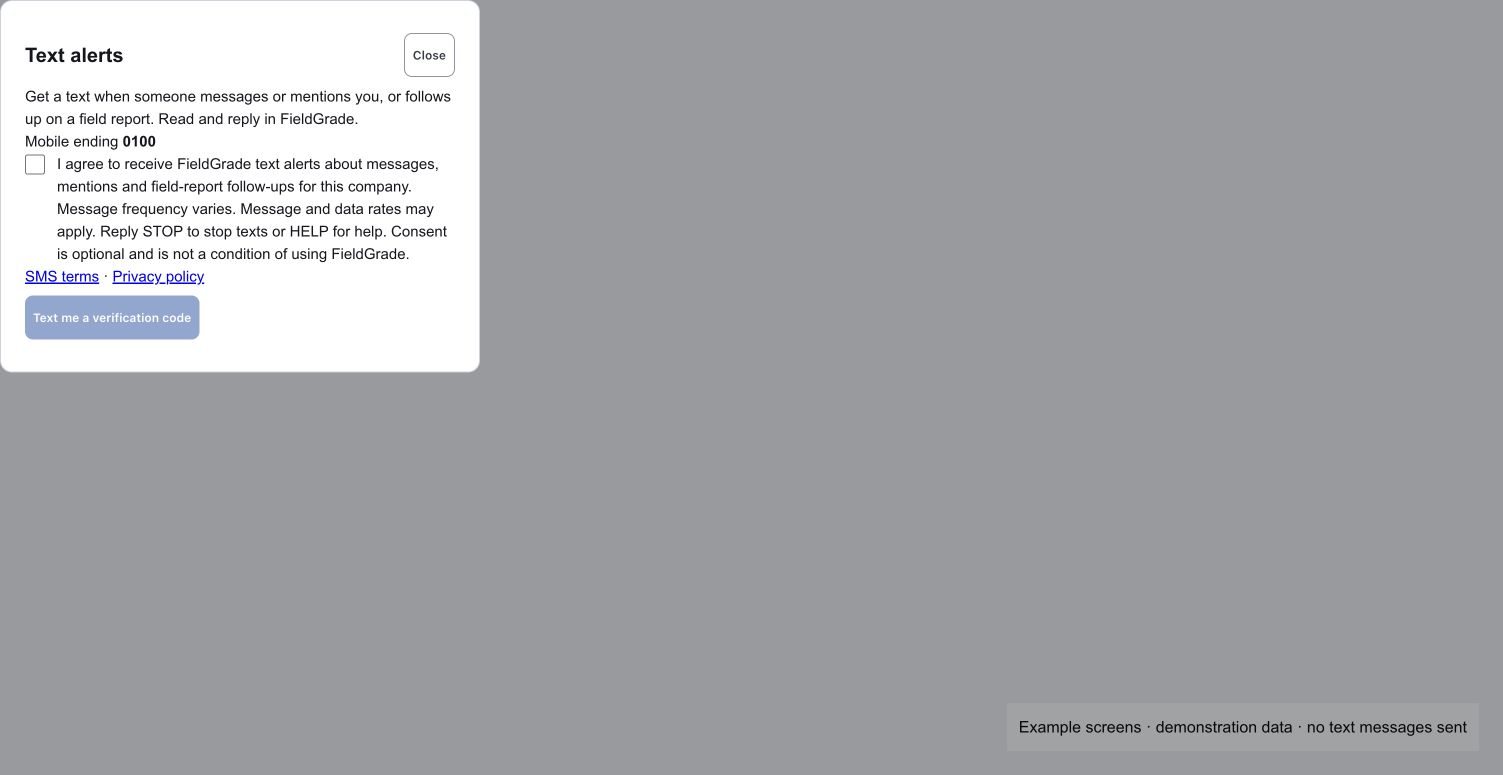
- Read the consent notice, SMS terms and privacy policy. The consent checkbox starts unchecked.
- If you choose to receive alerts, check the box and select Text me a verification code.
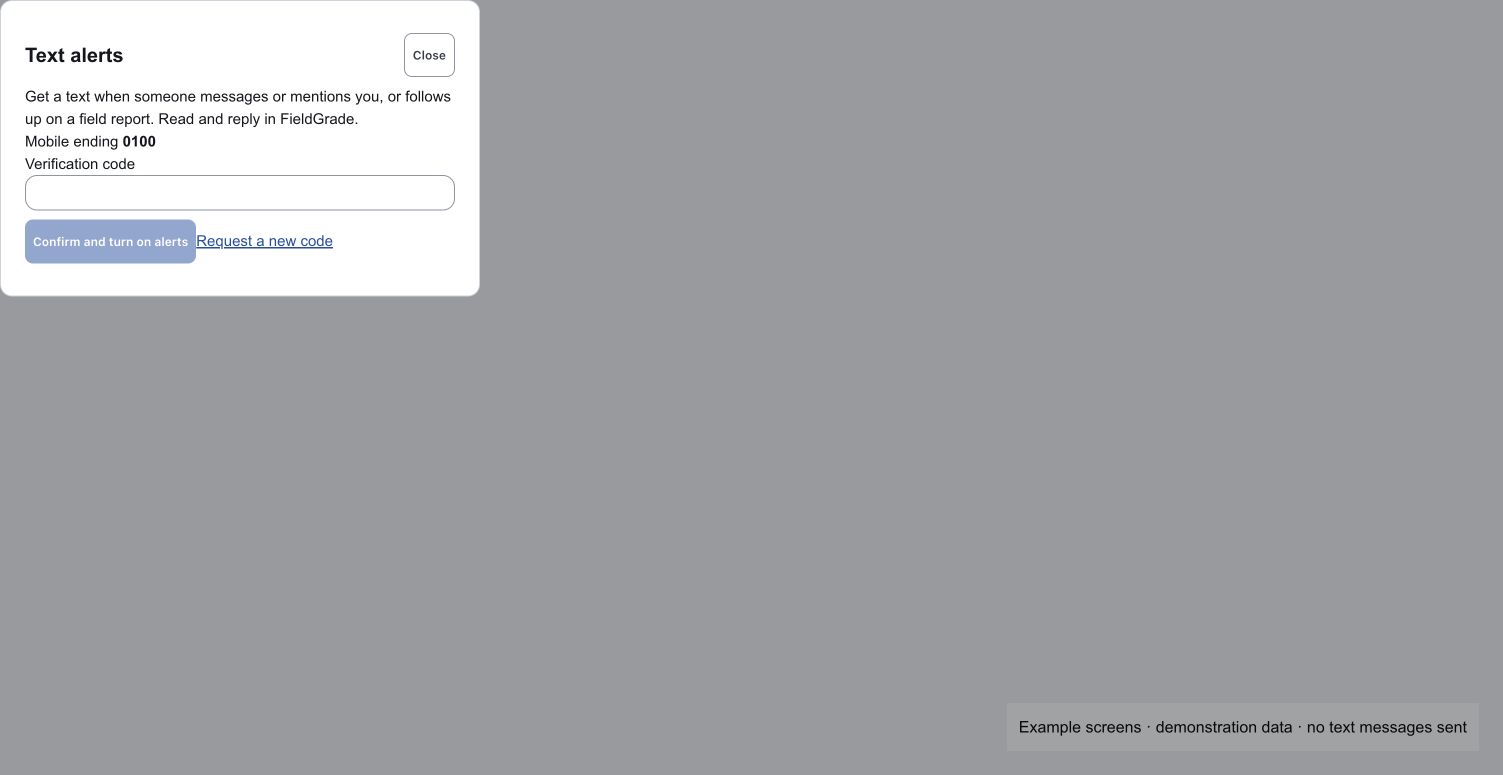
- Enter the code sent to your mobile number and select Confirm and turn on alerts.
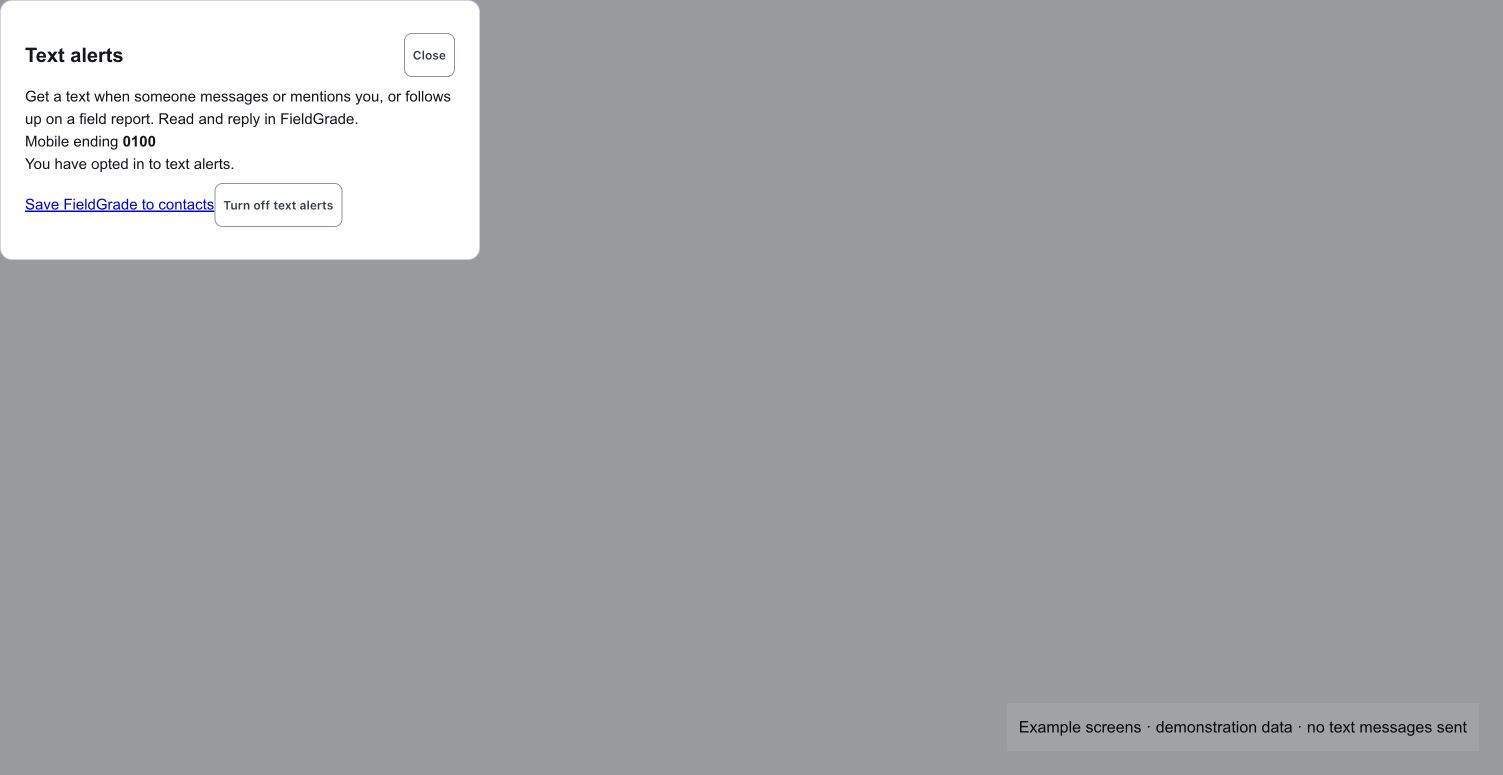
The setup link only opens your own settings; it never turns on alerts or sends a code. You can choose Not now on the setup prompt and continue using FieldGrade. Alerts become enabled only after you confirm the code. You can turn them off in Text alerts at any time. Replies to messages stay in FieldGrade.
These screenshots show the application screens with demonstration data; they do not represent a real person's enrollment:
Chat notifications use a separate phone number from job notices. During temporary setup, opted-in Amaya subcontractors may receive field-report follow-ups from the existing job-notification number. Text alerts in the app shows when this applies. Chat alerts are not sent through that temporary number.
Message Frequency
Message frequency varies based on job activity. You may receive messages when a job is assigned to you, when a punch list is ready, when status changes affect your work, or when reminders are needed. Frequency is not fixed and depends on the operational needs of the customer organization sending messages.
Chat notifications are limited. You will receive at most one chat notification every ten minutes from any one organization, however many chat messages arrive in that time. Messages sent during that window are not texted to you separately — they are waiting for you in the app. Field-report follow-up alerts share this limit.
Message and Data Rates
Message and data rates may apply, depending on your mobile carrier and plan. FieldGrade.build does not charge you to receive messages, but your carrier may.
Opt-Out Instructions
To opt out of SMS messages, reply STOP to any message you receive from FieldGrade.build. Once you opt out, you will not receive further messages until you reply START to opt back in.
Opting out applies to the number you reply to. Replying STOP to the separate chat/report number stops alerts from that number, while job notices from the other number continue. During temporary setup, report alerts share the job-notification number: STOP stops both report alerts and job noticesfrom that number. To stop messages from both numbers, reply STOP to each.
You can also turn off text alerts in FieldGrade. Replying START does not turn them back on if you turned them off in the app; open Text alerts to verify your number and opt in again. If you also replied STOP, reply START to the same number to remove the carrier block.
Help
For help, reply HELP to any message. You can also contact support at support@fieldgrade.build.
Eligibility
You must be at least 18 years old to receive SMS messages from FieldGrade.build, or have parental consent. Messages are sent only to recipients who have been added to the FieldGrade.build platform by a customer organization for the purpose of operational collaboration.
Carrier Disclaimer
Wireless carriers are not liable for delayed or undelivered messages.
Privacy
Your information is handled according to our Privacy Policy.
Contact
For questions about these SMS Terms, contact:
FieldGrade.build
support@fieldgrade.build