The crew records the work.
Shower walls finished. The floor area is not ready yet. Photo and notes recorded.
Software for trades that work for builders
Keep more profit. Take on more jobs. Be the trade partner builders call again.
See what each crew needs to do. Track what is left to finish. Keep builders up to date.
For businesses with several crews and several jobs at once,
and a reputation to keep.
THE OFFICE / TODAY
Different trades. The same daily problems.
Crews to lead. Jobs to finish. Builders counting on you.
YOUR BUSINESS. YOUR NEXT CHAPTER.
Keep more profit. Take on more jobs. Keep builders coming back.
Start with what matters to you.
Track extra work. Avoid wasted trips. Know what is left to finish.
Keep more profit 02 / GROWTHKeep track of follow-ups and give each crew a clear next step as you take on more jobs.
Make room for more work 03 / BUILDER TRUSTShow builders what is done, what is left, and what needs an answer.
Keep builders coming backBUILDER TRUST / SEE IT IN ACTION
After each visit, show the builder what is finished and what still needs attention. Include photos, measurements, and questions.
Show the work. Answer the questions.
Show what happens next.
Bathroom tile · example crew visit
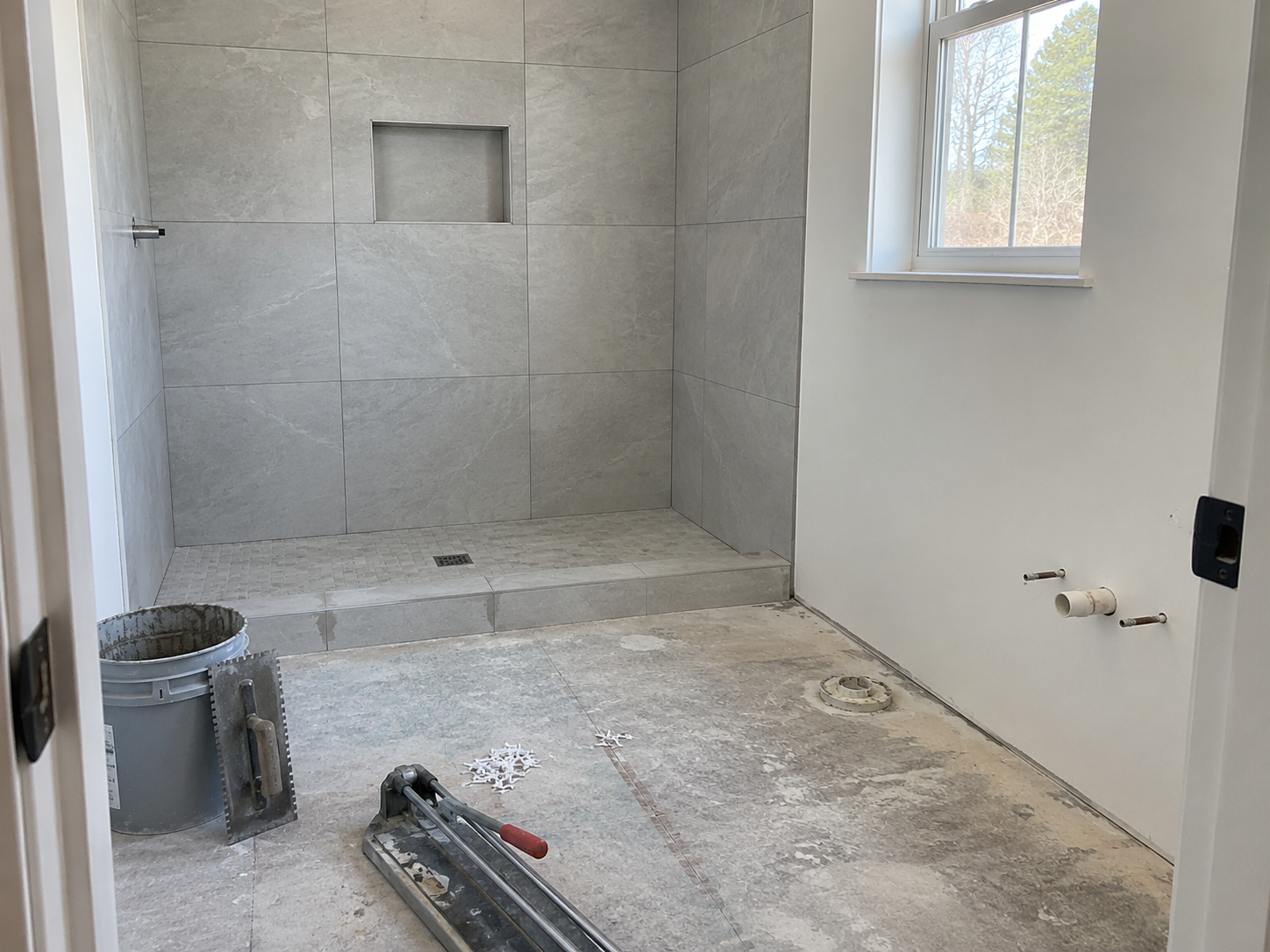
The crew finished the shower walls and recorded the work. The floor area isn't ready yet. Ask the builder when the crew can return.
When will the floor area be ready? The office needs a date to schedule the crew's return visit.
FROM ONE TILE VISIT TO THE NEXT
Follow the tile example from field report
to a confirmed return visit.
Shower walls finished. The floor area is not ready yet. Photo and notes recorded.
The coordinator reviews the report and asks the builder when the floor will be ready.
The builder sees progress and confirms when the floor area will be ready.
The office schedules the return visit. The date and notes stay with the job.
Less chasing. Fewer wasted trips. Everyone knows the plan.
Willow Court · Lot 6 · access confirmed
Crew 1 · next scheduled visitOak Ridge · Lot 8 · reading needed
Crew 2 · check before installCedar Lane · Lot 14 · next visit to confirm
Scheduling · builder follow-upOffice lead · next action: confirm the builder's decision.
GROWTH WITH CONTROL
Give your people a clear next step. See which jobs are moving and which ones need an answer.
For the owner who wants the business to grow
without becoming the answer to every question.
PROTECT THE PROFIT
The extra that stayed in a text. The crew sent before the site was ready. The final items still waiting for an answer. Each gap can cost the business.
Know what's ready. Record what changed.
Finish with a clear record.
COUNTERTOPS / BEFORE THE VISIT
Cabinet bases aren't secured. Ask the builder to have the bases secured before the measuring visit.
Help prevent a wasted trip.FINISH CARPENTRY / EXTRA WORK
The builder requests additional trim. Record the request. Get the extra work approved before scheduling it.
Know which extra work is approved.ACROSS TRADES / PUNCH & CLOSEOUT
Keep the punch list, completion photos, and builder's confirmation with the job.
Know what still needs approval before billing.Example workflows. When you get paid depends on your contract and the builder.
A FEW PRACTICAL QUESTIONS
FieldGrade is for trades with several crews and jobs, working for builders. Our examples cover cabinets, countertops, tile, flooring, and finish carpentry. Painting, drywall, framing, plumbing, HVAC, or electrical? Bring a job so we can see how FieldGrade could fit.
Crews can record the work they finished, add photos and measurements, and note what's left to do. We'll show how that could work on a job from your trade.
Builders receive a job update: what's finished, what's left, questions that need answers, and what happens next. We'll show you what your team sends and what the builder sees.
Tell us your trade and what you'd like to improve. We'll email you to arrange a time. Bring a real job or a problem you keep running into. We'll show where FieldGrade could help.
START WITH YOUR BUSINESS
Show us the work that keeps getting stuck.
We'll start the demo there.